


Draw Glow Comics
4.41.06K Reviews
App Specs
- Version
- 1.0.30
- Updated On
- License
- Free
- Downloads
- 5,000,000+
- Developer
- ColorJoy
- Categories
- Comics
- Platform
- Android
Screenshots
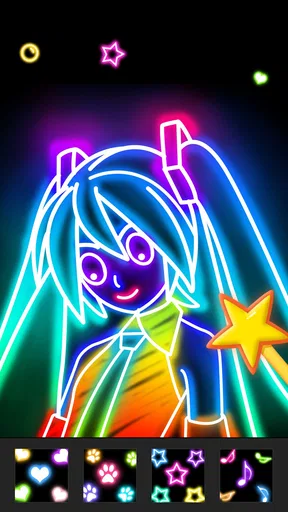
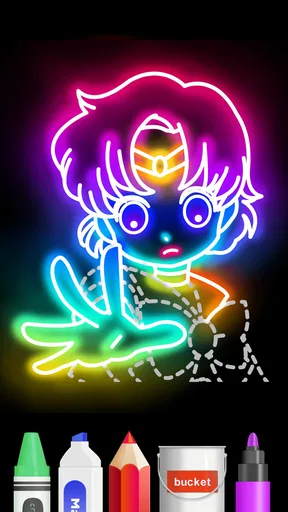
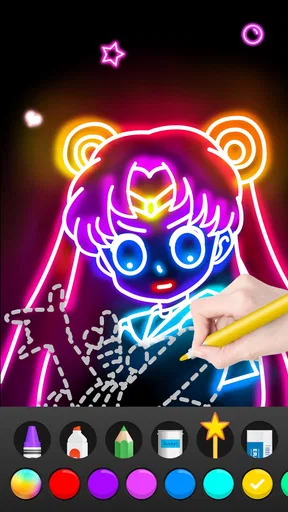
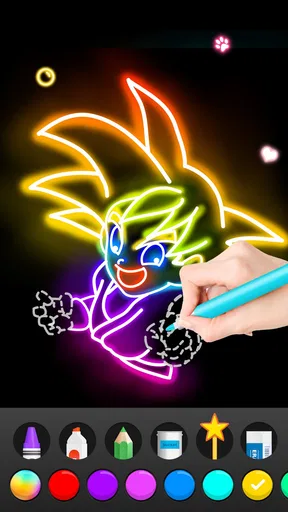
 Analysis by AppCompare
Some drawing apps ask you to bring a polished idea and a steady hand; Draw Glow Comics is better approached as a playful place to experiment. Its glowing brushes give even a simple doodle a clear visual style, and the guided activities make it less intimidating to start. I’d recommend it to someone who wants an easy, colorful introduction to making comics, rather than an artist looking for a full-featured studio with precise control over every part of a finished page.
A quick way to turn a spare moment into a drawing
The appeal is easy to understand in an everyday setting. Imagine having a few minutes to spare while waiting for a friend: instead of opening a complex drawing program and planning a polished illustration, you can sketch a character, try a bright outline, and see whether the idea works. That low-pressure use is where glow-focused drawing feels most inviting. It encourages making something small and expressive, not treating every mark as a commitment to a finished comic.
That distinction matters if you are choosing between this and a general-purpose art app. A broad drawing tool is usually the better choice when you want careful shading, a restrained color palette, or a workflow built around detailed illustration. Here, the visual effect is part of the fun and can give a rough sketch an immediate sense of energy. I would think of it as a creative side activity, especially useful when a blank page feels like too much of a hurdle.
Who will enjoy the glow-first approach
I can see this working particularly well for a beginner who wants to make a comic-like picture without first learning a complicated set of drawing controls. It is also a natural fit for casual family creativity: an adult can use the guided approach to help a child turn a simple character idea into a colorful drawing. The app is rated for Everyone, though that label is not a substitute for an adult deciding what suits a particular child or how a device should be used.
It may also suit someone who already draws but wants a change of pace. A glow-heavy look can be a deliberate limitation: rather than endlessly adjusting a realistic rendering, you can lean into bold marks and make a quick, graphic image. The trade-off is that this style will not fit every story. If your comic depends on subtle expressions, quiet scenes, or a consistent professional page layout, a dedicated comic-making tool may serve you better.
Small workflow choices that make a difference
For a more satisfying first session, I would start with one character or one simple scene instead of trying to plan a whole episode. A clear silhouette and a few contrasting colors are easier to read than a page crowded with glowing strokes. Once the main idea works, adding extra marks becomes a choice rather than an attempt to rescue a confusing sketch. This is a useful habit in any visual app, but it matters especially when a bright effect can quickly compete with the subject.
I would also treat the guides and templates as starting points, not as a test of artistic ability. Following a guide can help you get past the first blank-page pause; changing one detail afterward—such as a character’s expression or the color treatment—makes the result feel more personal. Templates can be handy when you have an idea but not a composition. If your goal is to develop a completely individual drawing from the first line, though, leaning on a template may feel restrictive rather than helpful.
Worth Reading Before You Choose

Flipboard Shows What News Apps Must Do Beyond the Feed

Switching to Android Auto Means Rethinking Your Driving Routine

Google Calendar Makes a Crowded Week Easier to Manage

Ludo King Makes the Most of the Minutes Between Plans

Baby Panda World Brings Quick Play to Modern Phones, but Its Game Library Feels Busy

ESPN’s Live Game View Makes Following Close Games Easier
What to expect before making it your main tool
Draw Glow Comics is a free comics app from ColorJoy. It has a 4.4 average from around twenty thousand ratings, and it has passed five million installs, which suggests that its approachable concept has found a sizable audience. It first appeared on October 4, 2017; the current version is 1.0.30, and it requires Android 6.0 or later. Those details make it straightforward to judge whether it fits an Android device, while the simple creative premise is the more important question for most people: do you want to draw with a bright glow effect?
There are in-app purchases, priced at $1.99 per item, so I would begin with the free experience and decide whether the available tools are enough before spending anything. That is a sensible approach if you are still figuring out whether you enjoy making comics on a phone or tablet. It is also worth remembering that a free starting point does not make the app a complete replacement for specialist software; someone who needs dependable control for a long project should compare the workflow carefully before committing to it.
Where it sits among comic and drawing apps
Compared with a blank-canvas drawing app, this one puts more emphasis on getting a lively result quickly than on offering an open-ended illustration workspace. Compared with a comic-layout tool, its strongest appeal is the act of drawing and adding visual flair, not necessarily managing a long story with carefully arranged pages. That makes it a useful companion for character ideas, playful panels, or a one-off comic gag, while a dedicated layout app is the safer choice if page structure and continuity are central to your project.
For sharing or keeping work, I would make a simple habit of checking how the app handles a finished drawing before investing a lot of time in a larger piece. Save or export a small test creation if those options are available in your version, then confirm that the result looks the way you want outside the drawing screen. This is not glamorous advice, but it can prevent frustration when your real aim is to send a comic to a friend, print it, or continue editing it elsewhere. I would not assume that a glow effect alone guarantees a smooth handoff to another art workflow.
When a different choice is wiser
The same easygoing style that lowers the barrier to entry may feel limiting if you want advanced control, a restrained look, or a highly structured comic project. If you draw for work, need to make precise revisions, or want every panel to follow a consistent production process, I would start with a more specialized illustration or comic app. Draw Glow Comics makes more sense when the result can be playful and the process matters as much as the finished image.
There is also a practical difference between enjoying a few guided drawings and building a regular practice. A template can help you begin, but it cannot decide what story you want to tell or make every composition clear. I would use the app to explore ideas, then move to another tool if those ideas grow into a project that needs more deliberate editing. That keeps its strengths in view without expecting a casual creative app to solve every part of comic production.
Ever found yourself doodling in the margins of a notebook, wishing you could bring those sketches to life? Enter Draw Glow Comics, an app that’s like your personal mini comic studio, right in your pocket. Whether you’re a seasoned artist or a curious newbie, this app offers a delightful way to dive into the world of comic creation.
Getting Started with Glow
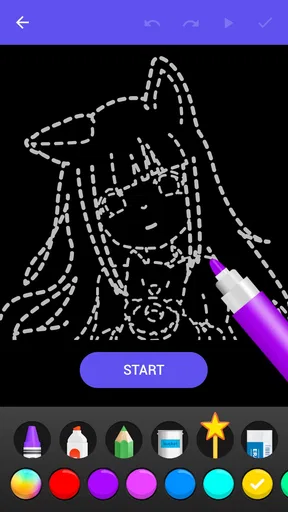
First things first, let’s talk about what it’s like to fire up Draw Glow Comics for the first time. The interface is sleek and inviting, with bright, intuitive icons that practically beg you to start drawing. You don’t need to be a tech wizard to navigate your way around, which is a huge plus in my book.
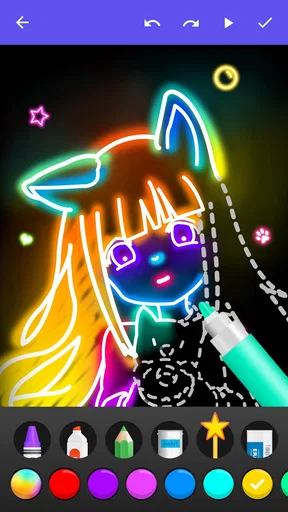
Once you’re in, you’re greeted with a variety of brushes and colors, all designed to help you create vibrant, glowing artwork. The app’s name really doesn’t lie—the colors truly pop, making your comics look like they’ve been dipped in neon goodness. It’s a visual treat!
Features That Spark Creativity
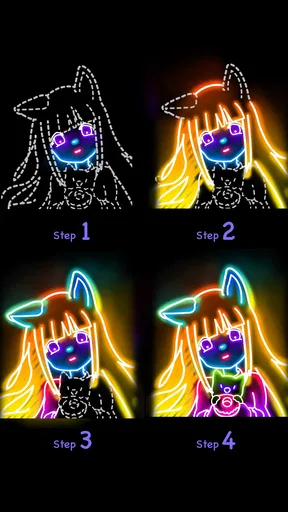
One of the coolest features is the step-by-step drawing guides. If you’re like me and sometimes need a little nudge in the right direction, these guides are a lifesaver. They break down complex drawings into simple steps, making it easy to follow along and learn at your own pace.
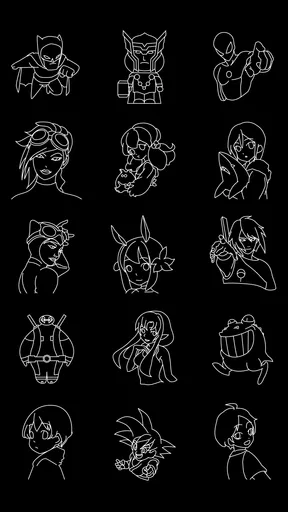
The app also offers a range of pre-drawn templates. These are fantastic for those moments when you hit a creative block but still want to create something awesome. You can tweak these templates to add your own flair, ensuring your comic strip is uniquely yours.
And let’s not forget the animation feature. Yes, you heard me right—you can animate your comics. This adds a whole new dimension to your creations, letting you bring static images to life with just a few taps. It’s like having a mini animation studio in your hands!
Why It Stands Out
What truly sets Draw Glow Comics apart is its accessibility. The app is designed to cater to all skill levels, so whether you’re a budding artist or a comic book pro, there’s something here for you. The user-friendly layout means you won’t spend hours trying to figure out how to use it, leaving you with more time to create.
Another standout aspect is the community feel. The app allows you to share your creations with other users, which is a fantastic way to get feedback and inspiration. It’s like being part of a virtual art club, where everyone shares the same passion for comics and creativity.
Things to Keep in Mind
While Draw Glow Comics is a powerhouse of creativity, it’s worth mentioning that like any app, it does have its quirks. Sometimes, the app can lag if you’ve got too many layers or animations going on. However, a quick restart usually does the trick.
Also, some features are locked behind a paywall. While the free version offers plenty of tools to get you started, you might find yourself tempted to upgrade for the full suite of features. It’s something to consider if you plan on diving deep into your comic-making adventures.
Final Thoughts
All things considered, Draw Glow Comics is a fantastic app for anyone looking to explore their artistic side. It’s a blend of fun, creativity, and community, wrapped up in an intuitive package that’s accessible to everyone. Whether you’re sketching out your first comic or adding a glow to an ongoing series, this app offers the tools and support you need.
So grab your stylus, fire up the app, and let your imagination run wild. With Draw Glow Comics, the only limit is your creativity!
Pros
- User-friendly interface for all ages.
- Wide variety of drawing tools available.
- Interactive tutorials enhance learning.
- Offline mode supports creativity anywhere.
- Regular updates with new content.
Cons
- Ads can be intrusive during use.
- Limited free content; in-app purchases needed.
- Occasional lag on older devices.
- No direct social media sharing options.
- Requires substantial storage space.
FAQs for Draw Glow Comics
What is Draw Glow Comics, and how does it work?
Draw Glow Comics is a creative app designed for both aspiring and seasoned artists who want to explore digital comic creation. The app provides users with a variety of tools to sketch, color, and add glowing effects to their artwork. With an intuitive interface, it’s perfect for creating visually striking comics with ease.
Is Draw Glow Comics suitable for beginners?
Yes, Draw Glow Comics is designed with beginners in mind. The app offers step-by-step tutorials and an easy-to-navigate interface, making it simple for users who are new to digital art to start creating immediately. Advanced features are also available for more experienced artists, ensuring a broad appeal.
What devices are compatible with Draw Glow Comics?
Draw Glow Comics is available for download on both Android and iOS devices. It supports a wide range of smartphones and tablets, allowing users to create comics on-the-go. Ensure your device is running the latest operating system for the best experience and performance.
Does Draw Glow Comics offer any in-app purchases?
Yes, Draw Glow Comics includes optional in-app purchases. These can enhance your creative experience by unlocking additional features, brushes, and effects. While the basic app is free, purchasing these extras can help you access advanced tools and customize your artwork more extensively.
Can I share my creations from Draw Glow Comics on social media?
Absolutely! Draw Glow Comics makes it easy to share your artwork directly from the app to various social media platforms. You can showcase your glow comics to friends and followers with a few simple taps, making it a great tool for building an online portfolio or community.


